H2: What is the TikTok Beta Program?
- H3: Key Features of TikTok Beta
- H3: Who Should Join the Beta Program?
H2: Benefits of Joining TikTok Beta in 2026
- H3: Early Access to Features
- H3: Improved Content Creation Tools
H2: Requirements to Join TikTok Beta on Android
- H3: Device Compatibility
- H3: Google Play Account Requirements
H2: Step-by-Step Guide to Join TikTok Beta (Android)
- H3: Method 1: Join via Google Play Store
- H3: Method 2: Join via APK Beta Access
- H4: Safety Tips for APK Downloads
H2: How to Check If You’re in TikTok BetaH2: Common Problems and Fixes
- H3: Beta Option Not Showing
- H3: App Crashes or Bugs
H2: How to Leave TikTok Beta ProgramH2: Tips to Maximize TikTok Beta FeaturesH2: ConclusionH2: FAQs
How to Join TikTok Beta Program on Android 2026
What is the TikTok Beta Program?
If you’ve ever wondered how some creators seem to get new TikTok features before everyone else, here’s the secret—they’re part of the TikTok Beta Program. Think of it like getting backstage access at a concert before the crowd rushes in. You get to test features that are still being polished, sometimes weeks or even months before the public rollout.
The TikTok Beta Program allows users to try experimental updates of the app. These versions are not fully stable, but they give you a sneak peek into the future of content creation. From editing tools to algorithm tweaks, beta users often experience changes first-hand.
Key Features of TikTok Beta
Beta versions often include:
- New video editing tools
- Updated UI designs
- Early algorithm experiments
- Advanced filters and effects
These features may disappear, evolve, or become permanent depending on feedbac
Who Should Join the Beta Program?
This program isn’t for everyone. If you’re someone who hates bugs or app crashes, you might want to stick with the stable version. But if you’re a content creator, influencer, or digital enthusiast, joining the beta can give you a serious edge.
It’s especially useful if you’re trying to grow your audience. Early access to tools means you can experiment before others catch on. In a competitive space like TikTok, that’s gold.
Benefits of Joining TikTok Beta in 2026
Early Access to Features
Imagine getting a brand-new filter or editing tool before it goes viral. That’s exactly what beta users experience. In 2026, TikTok is pushing AI-powered editing and smarter recommendations, and beta testers are the first to explore these innovations.
You’re not just using TikTok—you’re ahead of the trend curve. This can dramatically improve your content quality and engagement rates.
Improved Content Creation Tools
TikTok has evolved into a powerful content platform, and the beta program amplifies that. You’ll often find:
- AI auto-caption tools
- Smart video trimming
- Enhanced sound syncing
- Advanced analytics dashboards
These tools can transform how you create videos. Instead of spending hours editing, you can rely on smarter automation and focus on creativity.
Requirements to Join TikTok Beta on Android
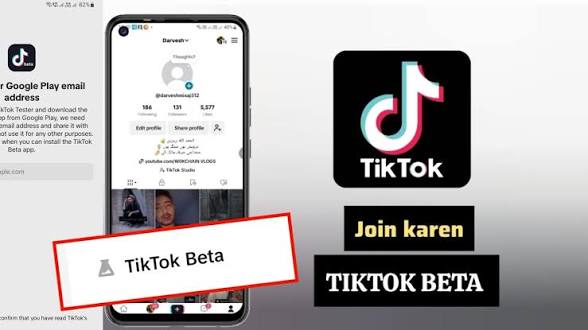
Before jumping in, you need to meet a few basic requirements. Don’t worry—nothing too complicated.
Device Compatibility
Your Android device should:
- Run Android 8.0 or higher
- Have enough storage space
- Support the latest Google Play services
Older devices might struggle with beta versions because they’re less optimized.
Google Play Account Requirements
You’ll need:
- A valid Google account
- Access to the Google Play Store
- A region where TikTok beta is available
Sometimes, beta access is limited by region, so availability may vary slightly.
Step-by-Step Guide to Join TikTok Beta (Android)
It’s easier than you think.
Method 1: Join via Google Play Store
Open Google Play Store Search for TikTok
- Tap “Join”
- Wait a few minutes for enrollment
- Update the app to the beta version
Once done, you’ll officially be a beta tester.
The process is smooth, but sometimes the beta slot may be full. In that case, you’ll need to wait or try the alternative method.
Method 2: Join via APK Beta Access
If the Play Store method isn’t available, you can try APK files. But this requires caution.
- Find a trusted APK website
- Download the TikTok beta version
- Enable “Install from unknown sources”
- Install the APK file manually
Safety Tips for APK Downloads
This method can be risky if you’re not careful. Always:
- Use trusted sources
- Avoid modified or cracked versions
- Scan files for malware
Think of APK downloads like downloading files from the internet—safe if done right, dangerous if careless
Once you’ve joined, you’ll want to confirm it worked.
Here’s how:
- Go to the Play Store TikTok page
- Look for “You’re a beta tester” message
- Check app version (beta versions often include “beta” in the name)
You may also notice new features immediately—that’s a clear sign you’re in.
Common Problems and Fixes
Joining beta isn’t always smooth. Let’s tackle common issues.
Beta Option Not Showing
This usually means:
- Beta slots are full
- Region restrictions apply
Once you’ve joined, you’ll want to confirm it worked.
Here’s how:
- Go to the Play Store TikTok page
- Look for “You’re a beta tester” message
- Check app version (beta versions often include “beta” in the name)
You may also notice new features immediately—that’s a clear sign you’re in.
This usually means:
- Beta slots are full
- Region restrictions apply
Solution?
App Crashes or Bugs
Beta apps are not perfect. Crashes can happen.
Fixes include:
- Clearing app cache
- Updating to the latest beta version
- Reinstalling the app
Remember, bugs are part of the experience—you’re testing unfinished features.
How to Leave TikTok Beta Program
Not enjoying the beta experience? No problem.
Steps to leave:
- Open TikTok on Play Store
- Scroll to “You’re a beta tester”
- Tap “Leave”
- Uninstall the beta app
- Reinstall the stable version
Within a few minutes, you’ll be back to the normal version.
Tips to Maximize TikTok Beta Features
Joining is one thing—using it smartly is another.
- Experiment daily: Try new features before they trend
- Track performance: Notice how new tools affect engagement
- Stay updated: Beta versions update frequently
- Give feedback: Your input shapes future features
Think of beta access like having a creative playground. The more you explore, the better your content becomes.
Conclusion
Joining the TikTok Beta Program on Android in 2026 isn’t just about testing features—it’s about staying ahead in a fast-moving digital world. Whether you’re a casual user or an aspiring influencer, beta access gives you tools and opportunities others don’t have yet.
Yes, there might be bugs. Yes, things may break occasionally. But the advantage of early access outweighs the inconvenience, especially if you’re serious about content creation. It’s like getting tomorrow’s tools today—and that’s a powerful place to be.
FAQs
1. Is TikTok Beta safe to use?
Yes, if downloaded from official sources like the Play Store. Avoid untrusted APKs.
2. Can I leave the beta anytime?
Absolutely. You can exit the program anytime and return to the stable version.
3. Will beta affect my account?
No, your account remains the same. Only the app version changes.
4. Why can’t I see the beta option?
It may be full or unavailable in your region. Try again later.
5. Do beta users get more views?
Not directly, but early features can improve your content and increase engagement.